
eSign service allows applications to replace manual paper-based signatures by integrating an API which allows an Aadhaar holder to electronically sign a form/document anytime, anywhere, and on any device legally in India.
eSign service facilitates significant reduction in paper handling costs, improves efficiency, and offers convenience to customers
The eSign service is governed by e-authentication guidelines. While authentication of the signer is carried out using Aadhaar e-KYC services, the signature on the document is carried out on a backend server of the e-Sign provider. eSign services are facilitated by trusted third party service providers - currently Certifying Authorities (CA) licensed under the IT Act. To enhance security and prevent misuse, Aadhaar holders private keys are created on Hardware Security Module (HSM) and destroyed immediately after one-time use.
eSign Electronic Signature is a new and innovative way to sign any document electronically without going through the hassle of signing a document physically or with a dongle based digital signature. eSign service allows any Aadhaar holder to digitally sign any document without having to obtain a physical digital signature.
As eSign is covered under the second schedule of the Information Technology Act, any document signed using eSign is legally as valid as a physically signed document or a document signed using conventional digital signature. Any organization can get signature based on eSign, on any documents generated from any of its applications, by integrating with the eSign Service Provider (ESP). eSign Online electronic signature service offers a mechanism to any organization to replace manual paper-based signatures by integrating eSign service with their software applications.
Now, with eSign, you can do away with printed paper application forms and allow your user to eSign the document within a few seconds which is legally as valid as a physically signed document.
Features of eSign
Benefits of eSign
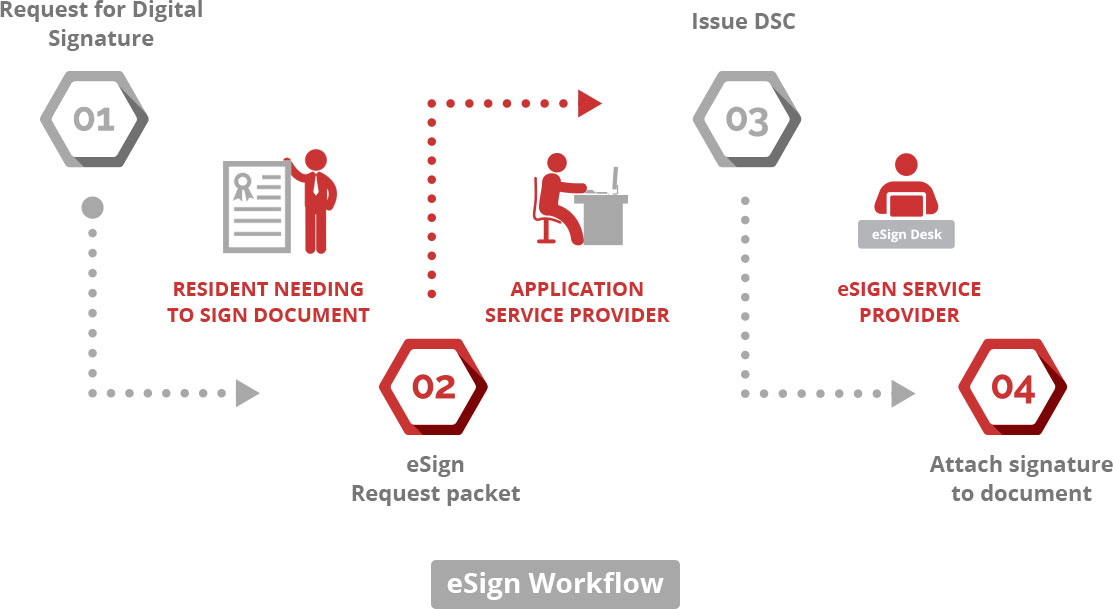
eSign - How it works ASP sends the request xml for electronic signature with the required inputs and obtains the response from eSign Service.
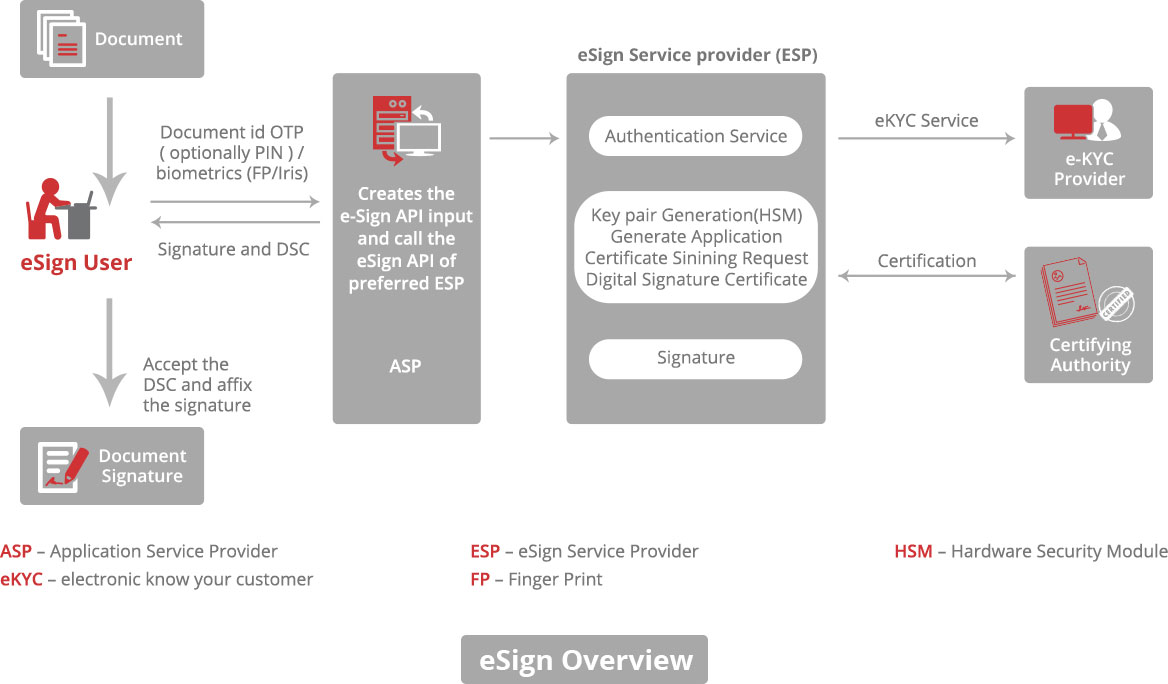
In this scenario :
